Claude Code in Action by Anthropic
What Anthropic’s course added to my everyday development workflow
- Claude
Context, scoped changes, and a clearer review process
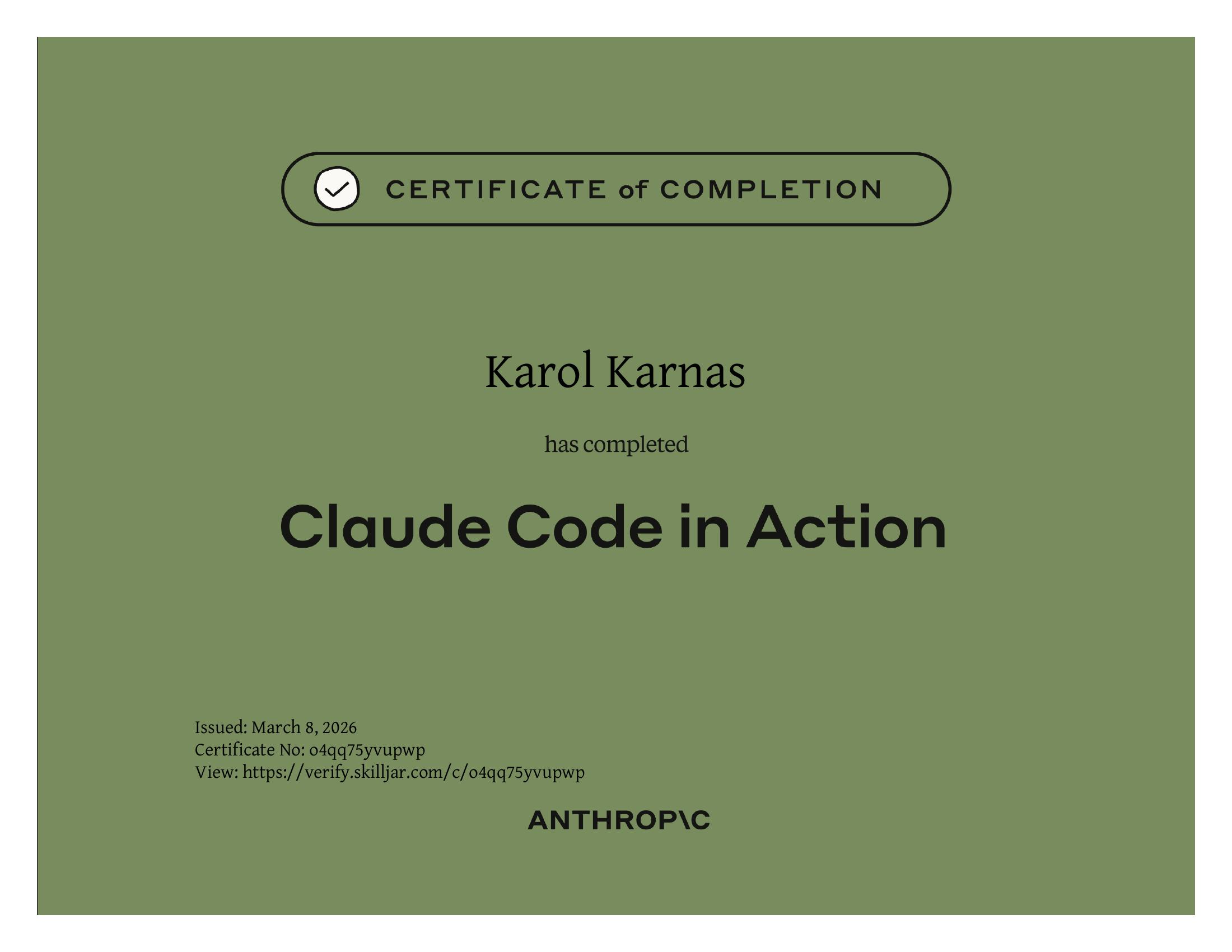
Claude Code had become part of my everyday work before I had a clear structure for using it. This course helped connect context, planning, tools, and verification into a more deliberate process. These are my notes on the parts that helped me carry a task through implementation and review.
The overview
Claude Code in Action is a free, official course from Anthropic Academy. It is short - 21 lessons, roughly an hour of video, one quiz, and a certificate at the end - but dense. It walks through Claude Code end-to-end across four sections: what a coding assistant is, getting hands-on, hooks and the SDK, and a wrap-up. I had already been using Claude Code daily for months, so the value for me was less about learning something brand new and more about putting my scattered, self-taught habits into a clear mental model.
Why I took it
I use coding assistants across interface work, backend changes, tests, and maintenance. I wanted a clearer way to provide context, keep a task focused, and check the result. Anthropic’s course gave me a useful structure for habits I had mostly learned through trial and error. The tool is one part of the workflow; deciding what should change and whether it works remains my responsibility.
How a coding assistant actually works
The first real lesson is not about Claude Code - it's about the loop behind any coding agent. Give it a task, and it goes through three steps: gather context (which files matter, what does the error mean), formulate a plan (what to change, how to verify), and take action (edit files, run commands). The trick is that a raw language model can only process and return text - it cannot read files or run anything. Tool use bridges that gap: the harness injects instructions teaching the model how to request an action, the model returns a structured call like 'ReadFile: main.go', the harness actually runs it and feeds the result back. Everything the agent does is a tool call. Your job as a user is to shape the context so the next tool call is the right one.
- Language models by themselves can only handle text - tools are what make them agents
- Claude's models are particularly strong at tool use, which lets Claude Code stay extensible and skip whole-codebase indexing
- A prompt is not a question - it is the opening move in a loop where the model chooses what to read, what to run, and when to stop
Context - /init, CLAUDE.md, @ mentions
This section was the biggest mindset shift. Context is a budget, not a bucket - too much irrelevant context actually hurts performance. The course teaches three primitives for managing it, and I was only using one of them well.
- /init - Claude analyzes the whole codebase and writes a CLAUDE.md summarizing purpose, architecture, key commands, and conventions
- CLAUDE.md lives in three places: project-level (committed, shared with the team), CLAUDE.local.md (personal, not committed), and ~/.claude/CLAUDE.md (global across all your projects)
- The # shortcut enters 'memory mode' - type `# Use comments sparingly. Only comment complex code.` and Claude merges it into the right CLAUDE.md for you
- @ mentions - pull a specific file into the conversation on demand (`@auth` surfaces a picker for auth-related files). Works inside CLAUDE.md too, so a line like 'The database schema is in @prisma/schema.prisma' loads the schema into every request automatically
After the course I rewrote my CLAUDE.md for this project to be leaner and more actionable, split long context into topical files under context/, and started reaching for @ mentions instead of describing files in prose.
Making changes - screenshots, Plan Mode, Thinking Mode
The 'Making changes' lesson surfaced a detail I had missed: you paste screenshots into Claude Code with Ctrl+V (not Cmd+V on macOS, even). That alone fixed how I communicate about UI bugs. On top of that, two modes that I had been using inconsistently finally clicked.
- Plan Mode (Shift+Tab twice) - Claude explores the codebase, writes a detailed plan, and waits for approval before touching anything. Best for multi-file changes or anything architectural.
- Thinking Mode - triggered by keywords in your prompt: 'think', 'think more', 'think a lot', 'think longer', 'ultrathink'. Each level gives the model progressively more reasoning tokens. Best for hard bugs and tricky logic, not exploration.
- Combine both when a task needs breadth and depth. Both cost tokens, so reach for them on purpose, not by default.
Controlling context - Escape, /compact, /clear
Four keyboard-level tools for steering a long session, all of which I underused.
- Escape - interrupts Claude mid-response. Use it the moment the agent is heading the wrong way, then correct course. Pairs perfectly with the # shortcut: Escape, then `# do X instead of Y`, locks the correction in for future sessions too.
- Double Escape - rewinds the conversation to any earlier message. Lets you keep Claude's hard-won understanding of the codebase while dropping the noisy debugging detour that got you there.
- /compact - summarizes the conversation while preserving what Claude learned. Ideal when moving to a related task after a long thread.
- /clear - nukes everything. Ideal only when the next task is genuinely unrelated.
Custom slash commands
Slash commands live as markdown files in .claude/commands/ and are just parameterized prompts. The filename becomes the command - audit.md becomes /audit. Restart Claude Code after adding one. You can take a string argument with the $ARGUMENTS placeholder, so a write_tests.md file starting with `Write comprehensive tests for: $ARGUMENTS` becomes `/write_tests the use-auth.ts hook`. This was the 'oh, that's it?' moment of the course - I had been pasting the same prompts over and over when I could have codified them once.
- File: .claude/commands/<name>.md - the filename is the command name
- $ARGUMENTS gets replaced with whatever you pass after the slash command
- Great for repetitive workflows: /audit for dependency scans, /write_tests, /review - all project-specific, all committed with the repo
MCP servers - extending Claude Code
Model Context Protocol lets Claude Code call external tools through a standard interface. The course demos Playwright, and that alone was worth the hour. Install it once with `claude mcp add playwright npx @playwright/mcp@latest` and Claude gains a real browser. To stop the permission prompt every call, add `mcp__playwright` (note the double underscores) to the `allow` array in .claude/settings.local.json. I actually used the Playwright MCP to read this very course page while writing this post. The lesson also shows a nice trick: have Claude open your app, look at the generated output, and rewrite its own generation prompt based on what it sees - closing the loop between code and the visual result.
GitHub integration
Run /install-github-app and Claude walks you through installing the GitHub app, adding your API key, and opening a PR that drops two workflow files into .github/workflows. Once merged you get two behaviors: mention @claude in any issue or PR and it plans a task, executes it against your repo, and replies inline. Every new PR gets a detailed automatic review. The workflow YAML is customizable - you can add setup steps, pass custom_instructions (project context, localhost URLs, log file paths), wire in mcp_config for MCP servers, and list allowed_tools explicitly. One gotcha the course stresses: in GitHub Actions, every MCP tool must be listed individually in allowed_tools. There is no shortcut like there is locally.
Hooks - the part I had never touched
Hooks are shell commands Claude Code runs automatically around tool calls. Unlike CLAUDE.md instructions, hooks execute deterministically - the harness runs them, not the model. There are two kinds, configured in the same three locations as CLAUDE.md (global, project, project-local).
- PreToolUse - runs before a tool executes, gets the pending tool call as input, and can allow it, block it, or return an error message to Claude
- PostToolUse - runs after execution. Can't undo the call but can trigger follow-ups (formatters, linters, tests) or feed extra information back to Claude
- Matchers target specific tools: `Read`, `Write|Edit|MultiEdit`, etc.
- Configure via the /hooks command inside Claude Code, or edit settings.json by hand
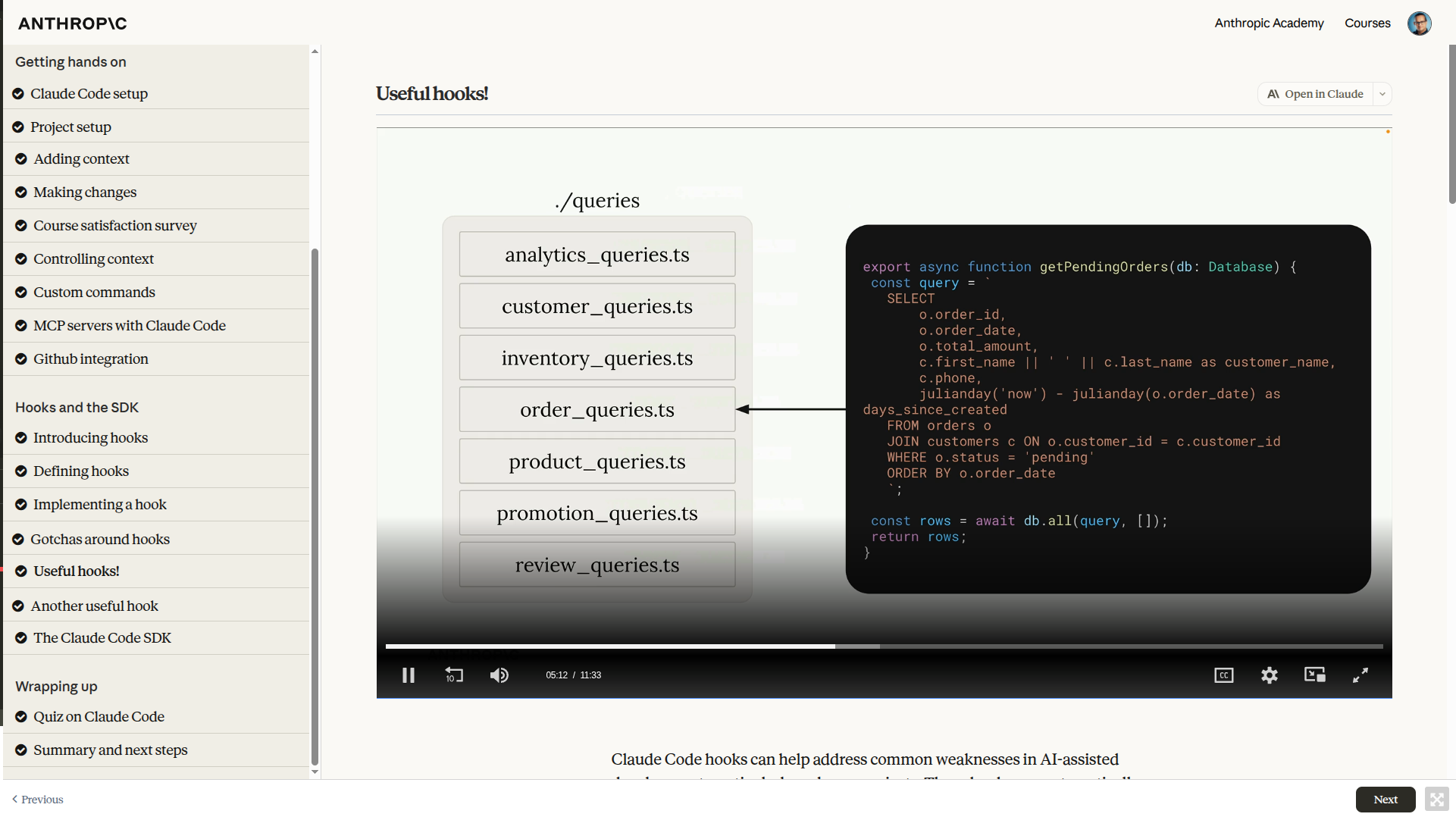
Two real hook examples from the course that I am stealing: (1) a PostToolUse hook on Write|Edit|MultiEdit that runs `tsc --noEmit` and feeds any type errors back to Claude, which closes the gap where Claude updates a function signature but misses a caller. (2) A hook on changes inside a queries/ directory that spawns a second Claude instance via the SDK to review whether the new query duplicates an existing one - a second pair of eyes for a consistency-critical folder.
Hook gotchas
The course's 'Gotchas' lesson is worth a bookmark. Anthropic recommends absolute paths for hook scripts (to prevent path-interception / binary-planting attacks), but that makes .claude/settings.json impossible to share across machines where the project lives in different directories. Their workaround is a committed settings.example.json using a $PWD placeholder plus a setup script (init-claude.js) that resolves it and writes settings.local.json on first install. It is a simple pattern but one I would not have invented on my own.
The Claude Code SDK
The SDK lets you run Claude Code programmatically from TypeScript, Python, or the CLI. Same agent, same tools, same settings as your terminal session - just embedded into a script. By default the SDK runs read-only; opt into writes with `allowedTools: ['Edit']` in the query options, or configure it in settings. The typical use is inside another hook: one Claude instance reviews or validates what another just did. It also opens the door to git hooks that review diffs, CI/CD quality gates, and automated doc generation - any pipeline step where a deterministic script is not expressive enough but a full interactive session is too much.
- Package: @anthropic-ai/claude-code (TypeScript), Python SDK, and CLI bindings
- Inherits settings from the .claude directory it runs in
- Read-only by default - an intentional safety floor
- Pairs naturally with hooks: PostToolUse hook → SDK call → feedback to main session
What I already knew but now use better
The most useful connection was between project context, a clear plan, tool access, and feedback from checks. A change that starts in a form may also affect an API contract, validation, and tests. Giving the assistant that scope is more useful than asking for an isolated code edit. I still need to review the diff and follow the user flow; hooks and automated checks provide evidence for that review.
Summary
The course helped me organize how I use Claude Code around real development work. Context files, commands, hooks, and tool integrations are easier to use well when they serve a defined task. My main takeaway is to keep requirements and verification explicit, whether the change is in the interface, a backend service, or a build script. These notes describe the course I took; tool commands and behavior can change between releases.