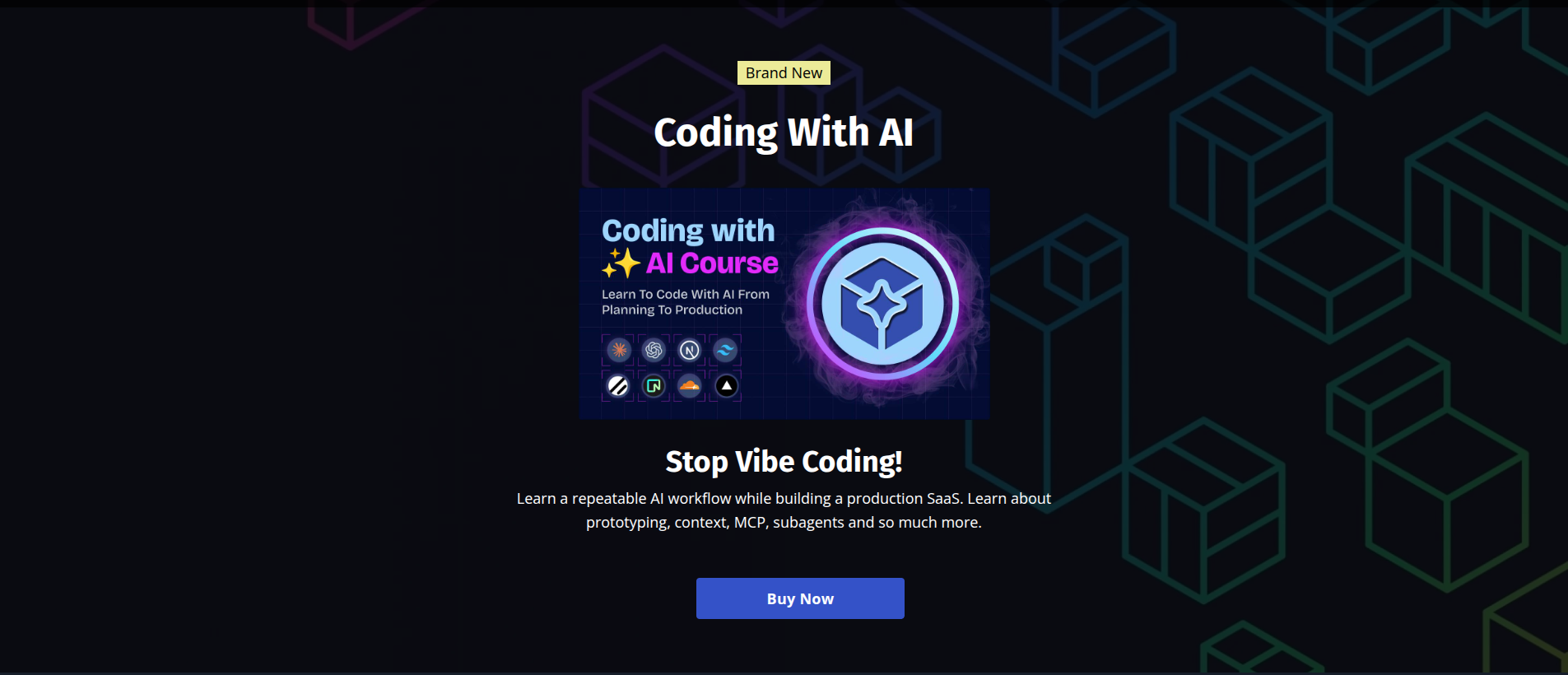
Coding With AI: Planning To Production by Brad Traversy
Planning, building, and deploying a full-stack application with a coding assistant
- Claude
- Next.js
- Prisma
- PostgreSQL
- OpenAI API
The delivery workflow around the code
Brad Traversy’s course follows a full-stack application from planning through deployment, using Claude Code throughout the build. I was interested in how the decisions connect: what the user sees, how the data is stored, how access and billing work, and how the application is released. These are the lessons I took into my own development process.
The overview
Coding With AI: Planning To Production is a long-form course by Brad Traversy on building a real SaaS app end-to-end with Claude Code as the main coding partner. It is split into fifteen sections - from 'what is AI' and vibe coding for prototyping, through planning and context files, all the way to a deployed Next.js app with auth, a Postgres database, file storage, Stripe billing, and OpenAI-powered features. The main project is DevStash, a developer knowledge dashboard with collections, items, search, favorites, a Monaco code editor, a markdown editor, Cloudflare R2 uploads, and a paid tier. It is not a toy app. By the end you have something you could ship.
Why I took it
I already used Claude Code in everyday development and had completed Anthropic’s introductory course. What interested me here was the delivery process: shaping a feature, connecting its interface and data model, handling authentication and billing, and getting the application into production. That matches the way I want to work with clients, where the responsibility extends beyond a single part of the codebase.
Brad's teaching style - why I keep coming back
I have been watching Traversy Media tutorials since I started learning web development. Brad's format has not really changed, and that is a compliment. He types every line, explains *why* before *what*, and never hides behind finished code. When something breaks during a lesson, he leaves the mistake in and debugs it on camera - which is worth more than any polished take. His pacing is unhurried without being slow, the audio is clean, the screen is readable, and the project scope is always something a single developer can actually ship. That combination is rare, and it is why I trust his courses more than most.
- No filler - every lesson moves the project forward
- Full-stack framing - planning, building, shipping, billing, all in one course
- Real tools only - Next.js, Prisma, Neon, Vercel, Resend, Stripe, Cloudflare R2 - not toy equivalents
- Honest mistakes left in - bug fixes happen on camera, not in post
- Course files and a complete reference repo to diff against your own progress
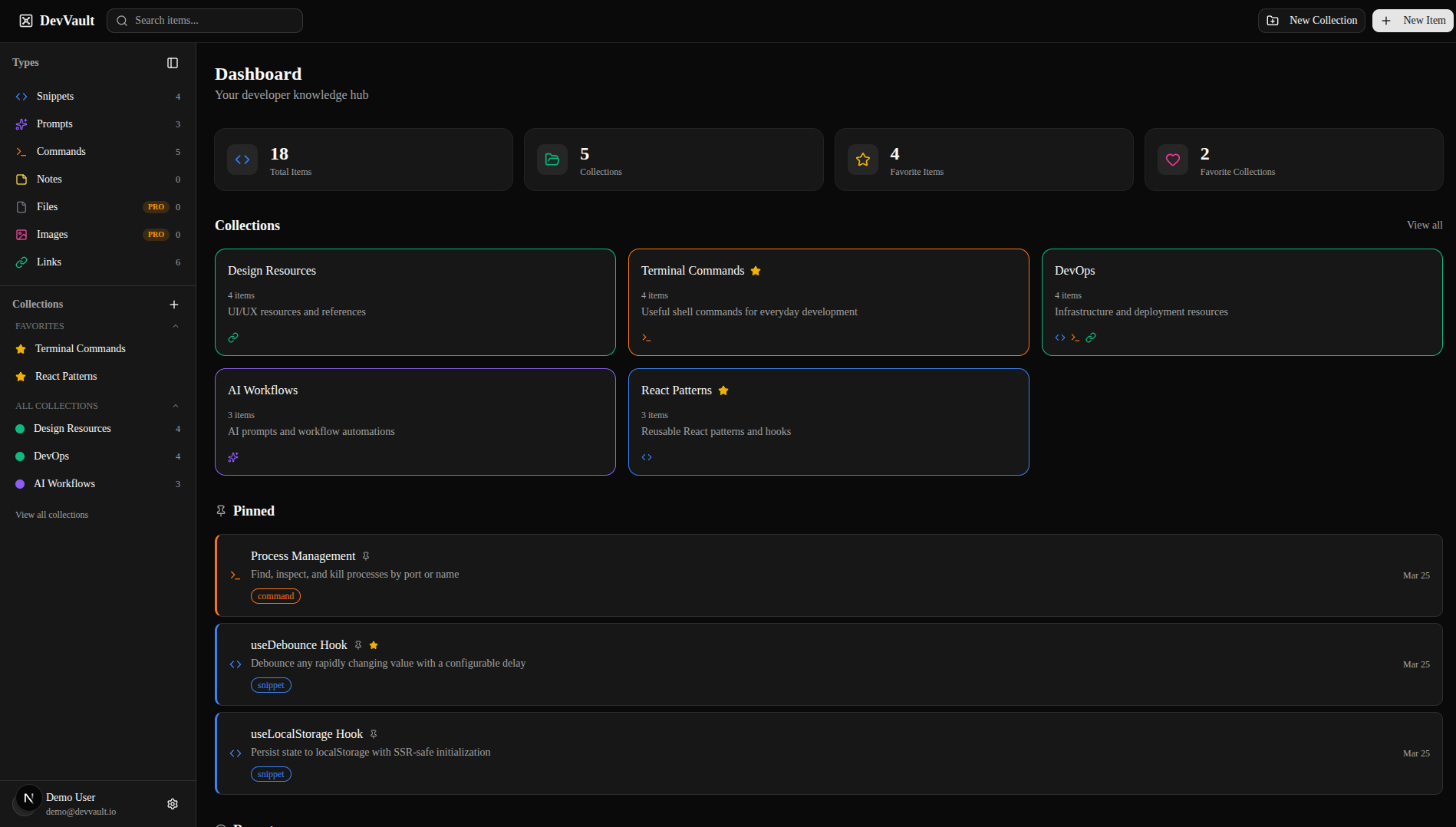
The project - DevStash
DevStash is a dashboard for developers to stash snippets, notes, links, and files organized into collections. It has auth with GitHub and credentials, email verification via Resend, rate limiting via Upstash Redis, a Monaco code editor for snippets, a markdown editor for notes, file and image upload to Cloudflare R2, a command palette for search, pagination, favorites, pinned items, and a paid tier gated by Stripe. On top of that, the paid tier unlocks AI features powered by OpenAI - auto-tagging, AI-generated descriptions, an explain-this-snippet feature, and a prompt optimizer. Building it is the vehicle - but every single piece is something you will reach for again on the next project.
Vibe coding vs production coding
The course opens with a section called 'Vibe Coding For Prototyping' and then immediately follows it with a 'Reality Check - Prototype vs Production' lesson. That framing is the whole thesis of the course: AI is incredible for producing something that *works* in an afternoon, and terrible for producing something you can maintain six months later unless you steer it. Vibe coding is a legitimate tool - for exploring ideas, for sketching UI, for answering 'would this feel right.' But when the prototype is validated, you throw it away and plan the real thing. Brad is explicit about this, and it took the guilt out of throwing away working-but-messy code.
- Prototypes are for learning, not for shipping
- Writing good prompts is its own skill - be specific, supply constraints, show examples
- Iterate on the prompt, not just the code - a bad prompt produces bad code every single time
- A quick code review on a prototype is non-negotiable before you reuse any of it
Planning and context files
The planning section was one of the most useful parts for me. It connects the project overview, coding conventions, and current feature scope so an assistant has a clear starting point. I took the principle of keeping those instructions focused and maintained. The filenames are less important than the information: what the product needs, how the codebase works, what the task includes, and how the result will be checked.
- CLAUDE.md is the entry point - keep it short, link out to deeper context files
- context/project-overview.md - the elevator pitch, tech stack, routing
- context/coding-standards.md - TypeScript rules, file layout, naming
- context/ai-interaction.md - workflow rules, when to ask, when to commit
- context/current-feature.md - the single source of truth for what is in flight
- context/features/<name>.md - per-feature spec that gets promoted to current-feature.md when you start
Claude Code fundamentals - in a working project
Brad covers plan mode, slash commands, config and settings, and the memory file - but unlike a pure tool tour, every concept is introduced at the moment you actually need it. Plan mode shows up the first time a change spans more than one file. Slash commands appear when you notice yourself pasting the same prompt twice. The memory file (#) gets introduced when you catch Claude making the same mistake across sessions. That just-in-time introduction is why the lessons stick. I stopped thinking of these as features to remember and started thinking of them as tools I reach for when a specific friction appears.
Database, migrations, and real CI/CD
The database section is where the course leaves tutorial-land. Brad uses Neon for managed Postgres, Prisma 7 as the ORM, writes a seed script, builds a proper migration workflow with a clear separation between dev and prod, and deploys to Vercel with preview branches hitting a preview database. The initial deploy and prod migration lesson alone is worth the price - it is the thing most tutorials skip, and it is the thing that bites you in week two of a real project. I now treat the migration workflow as something to set up on day one, not day thirty.
- Neon - Postgres with branching, perfect for preview environments
- Prisma 7 - schema, client, migrations, seed - all with AI-friendly file layouts
- Separate migration flows for dev, preview, and prod
- Initial deployment happens *early* - not at the end - so you catch env-var and build issues fast
Skills, custom commands, and subagents
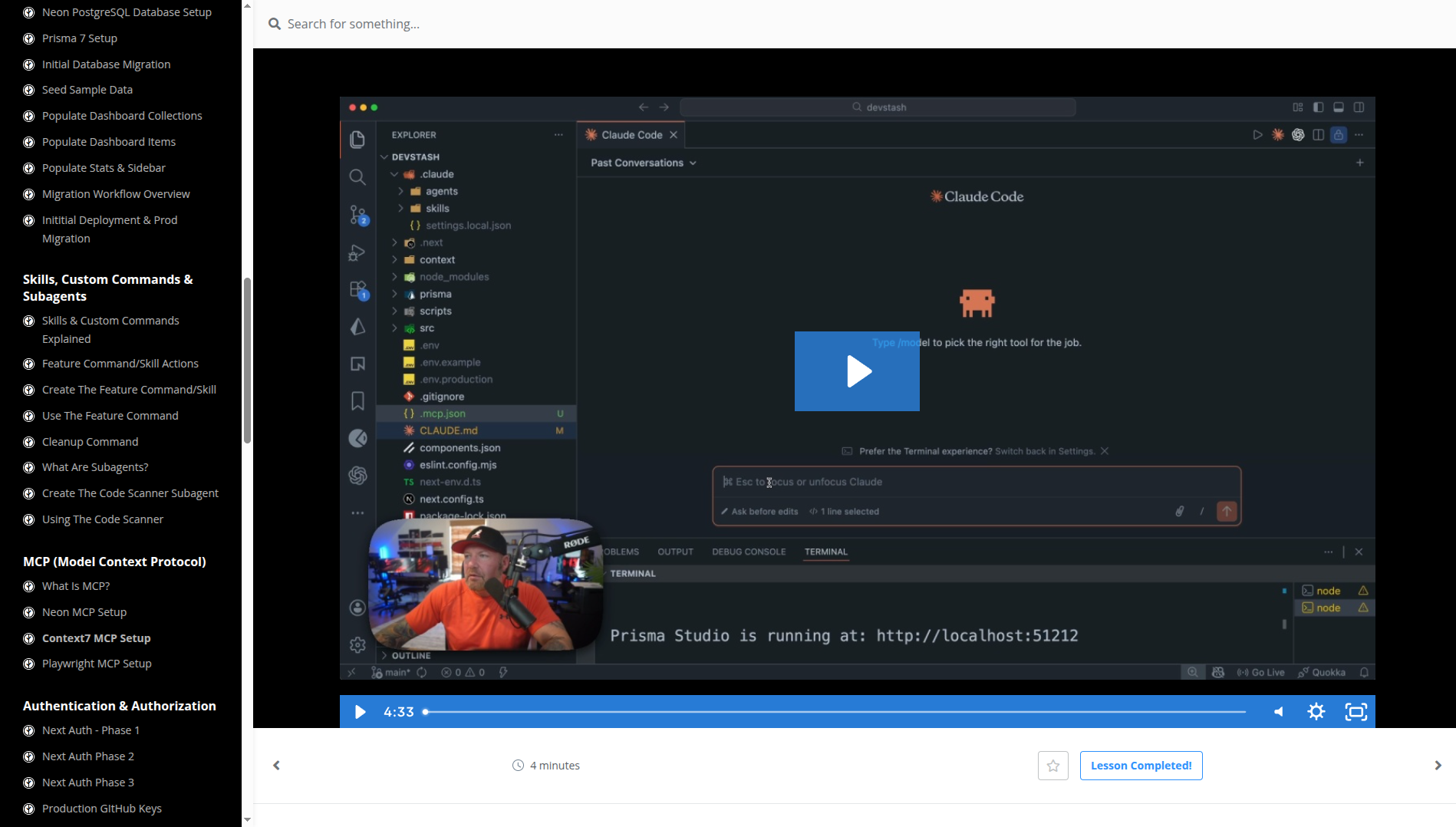
This section is where Claude Code stops feeling like a chat tool and starts feeling like a configurable system. Brad walks through custom slash commands (I had played with these), then skills (I had not), then subagents (totally new to me). The flow he teaches is: notice a repetitive task → write a skill or slash command that captures it → add it to the repo so future-you and teammates inherit it. The feature skill he builds - a single /feature command that spans spec, branch, implement, test, commit - is essentially the workflow I now use. The code scanner subagent was eye-opening too: a specialized agent with a narrow prompt and limited tools, spawned on demand. I added one to my own workflow the same day.
- Slash commands - parameterized prompts in .claude/commands/
- Skills - richer, with frontmatter triggers and their own tools
- Subagents - separate Claude instances with scoped roles (code scanner, auditor, reviewer)
- Cleanup command - a small but perfect example of automating housekeeping
MCP - Neon, Context7, Playwright
Three MCP servers, three entirely different use cases. Neon MCP lets Claude talk to your database directly - introspect schema, run queries, create branches. Context7 fetches up-to-date library docs at query time, which is the single biggest fix for the 'LLM training data is from last year' problem I have. Playwright MCP gives Claude a real browser for end-to-end testing - and, as I am using right now to read the course curriculum for this post, for general web automation. The course shows all three wired into the project, not just demoed in isolation.
- Neon MCP - database introspection and branch creation from the prompt
- Context7 MCP - live docs for whatever library you are using *this session*
- Playwright MCP - browser automation, E2E tests, and agent-driven UI verification
Auth done properly
The authentication section is a full mini-course on its own. NextAuth in three phases, GitHub OAuth with separate dev and prod keys, credentials auth, email verification via Resend with a verification flag on the user, forgot-password flow, a user profile page, an Auth Code Audit subagent that reviews auth-related files, Upstash Redis for rate limiting, and a bugfix lesson for a real GitHub redirect issue. No hand-waving, no 'we will skip auth for this demo' - you ship with real security primitives in place.
- NextAuth with GitHub OAuth and credentials
- Email verification via Resend with an email_verified flag
- Forgot password flow
- Rate limiting with Upstash Redis
- An auth-specific audit subagent to catch regressions
Editors, storage, and file handling
Monaco editor integration (the same editor that powers VS Code), a markdown editor with preview, and Cloudflare R2 for file and image uploads. The R2 setup is a single lesson but it covers bucket creation, credentials, presigned URLs, and a working upload flow - again, the full pipeline, not a fragment. The image gallery and file display lessons tie it all together and cap it with a code audit using a subagent. I had been meaning to try R2 for months; this was the push.
Collections, search palette, favorites
This is the polish section - the stuff that makes a dashboard feel like a real product instead of a CRUD demo. Cmd/Ctrl+K search palette, collection pages, pagination for items and collections, an editor settings panel, a favorites page with toggle and sort, and pinned items. These are small features individually but the lesson on each is tight, and by the end the app feels like something you would actually use. Brad also pulls account actions into a settings page instead of stuffing everything into the header - a small UX call, but one I have seen him make consistently across courses.
Stripe integration - from sandbox to production
Stripe is the section I was dreading and turned out to be the smoothest. Sandbox setup, a written integration plan, two implementation phases, webhook handling with the Stripe CLI for local testing, feature-gate testing, and a clean separation between test-mode and production keys. The Upgrade page ties the subscription state back to the UI. This section alone would sell the course - it is the part every indie SaaS tutorial skips, and it is the part you cannot afford to get wrong.
- Stripe sandbox first, production keys only at the end
- A written integration plan before any code - Claude reads it, you approve it
- Webhook testing locally with the Stripe CLI
- Feature gates validated *before* going live
AI features on top of the AI-built app
The final build section adds OpenAI-powered features to DevStash itself, which is a pleasing kind of recursion. Auto-tagging on new items, AI-generated descriptions, an 'explain this snippet' feature, and a prompt optimizer that rewrites a user's prompt into something sharper. The implementation pattern is the same each time - write a server action, call the OpenAI API, stream the result back - and after three of them you internalize the shape of it. The language dropdown lesson earlier in the section is a small thing that matters: every AI feature respects a selected language, which is a nice detail most tutorials skip.
Code audit and the wrap-up
The final section is what a healthy AI workflow looks like: a quick UI review, a refactor scanner subagent pass, connecting a custom domain, wiring the domain into Resend for email deliverability, and a wrap-up. The refactor scanner subagent is the perfect ending - instead of 'we are done, ship it,' the course hands you a tool for keeping the codebase clean as it grows. That mindset - AI is not just for writing code, it is for *maintaining* it - is the one I am taking forward.
What actually changed in how I work
The course reinforced the value of defining a feature before asking for implementation. I want to know the intended behavior, the affected parts of the application, and the checks that will tell me it works. Assistants can help with code, investigation, and review within that scope. I still make the technical decisions and review what is delivered, including the user journey and deployment details.
- Write down the user need and acceptance criteria before implementation
- Connect interface behavior to the data model and API contract
- Keep project instructions focused and current
- Use automated checks and a review of the actual behavior
- Treat configuration, migrations, and deployment as part of delivery
Summary
What I valued most was seeing the surrounding work included in a full-stack build: planning, authentication, storage, billing, migrations, deployment, and maintenance. The course gave me useful patterns for using a coding assistant within that process. I took away a clearer way to plan a feature, understand the choices, and verify the result before release.